
SpotiFLAC APK — FLAC Music Downloader
Download music in lossless FLAC quality directly to your Android or iOS device. No subscription. No account. No compromise on audio.
Android 7.0+ · iOS 14+ · v4.8.0 · MIT Licensed · No Account Needed
App Info
| App Name | SpotiFLAC Mobile |
| Version | v4.8.0 |
| Last Updated | 26 July, 2026 |
| File Size | ARM64: 75.8 MB · ARM32: 95.4 MB · iOS: 33.2 MB |
| Category | Music & Audio |
| Requirement | Android 7.0+ · iOS 14+ |
| Downloads | 200,000+ |
| Developer | Zarz Eleutherius (Open Source) |
| Price | Free |
What is SpotiFLAC Mobile APK
Streaming apps let you listen, but you never truly own what you hear. This app changes that. It downloads music and saves it as proper audio files — FLAC, MP3, or AAC — directly to your device storage, no strings attached.
No subscriptions, no cloud, no DRM. Once downloaded, the files are standard audio files you can play anywhere, copy to any device, and keep forever. Built for audiophiles, offline listeners, and anyone tired of losing access to their library.
Who Is It For
Audiophiles
If you can tell the difference between 128kbps and lossless, or you listen on quality headphones or a DAC, you get files that actually match your standards.
Offline Listeners
Commutes, flights, travel, remote areas — your full library plays without an internet connection, a data plan, or a streaming server staying online.
Music Collectors
Build a properly organized local library with real files, embedded metadata, cover art, and folder structures you control completely.
App Screenshots
From pasting a link to a fully organized library — every screen is built around getting your music downloaded fast and cleanly.
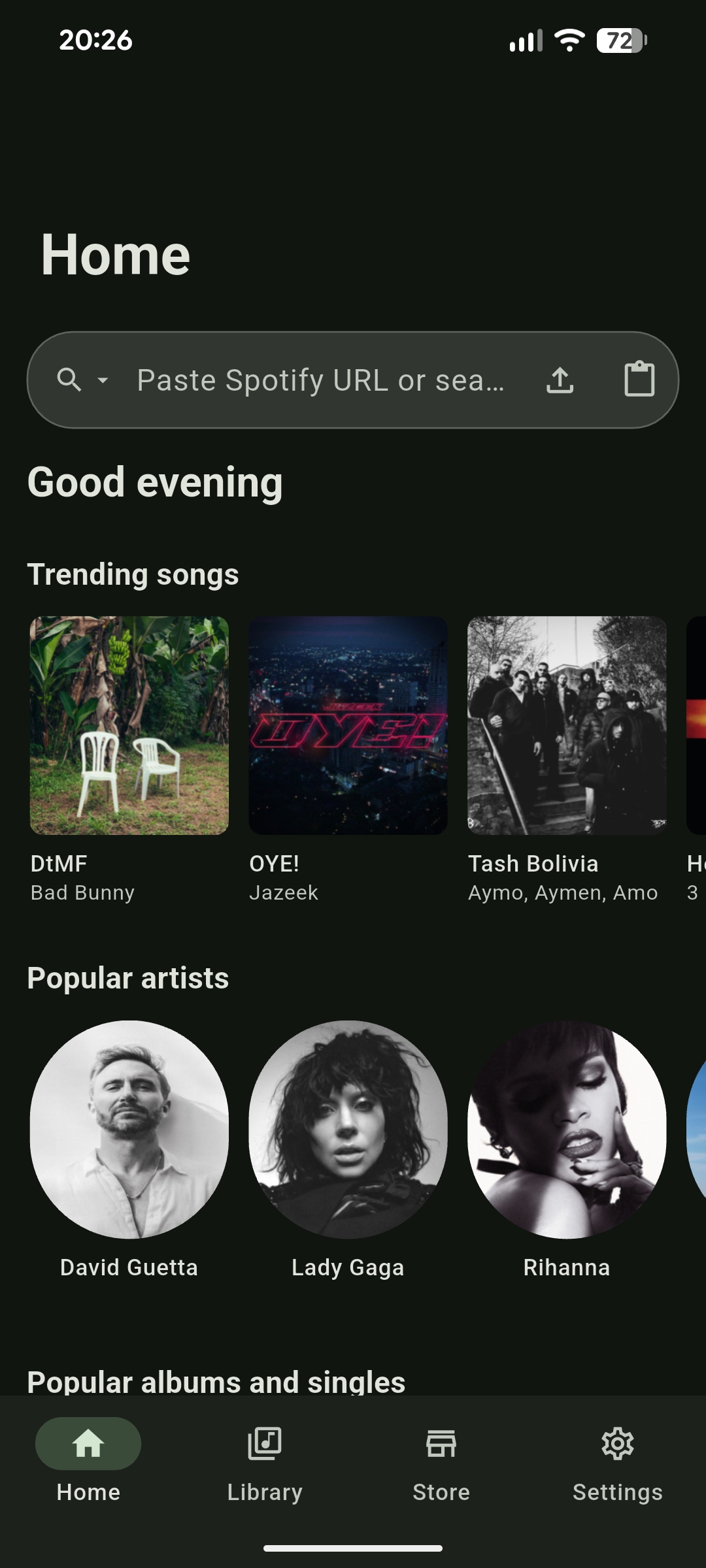
Home — Paste & Go
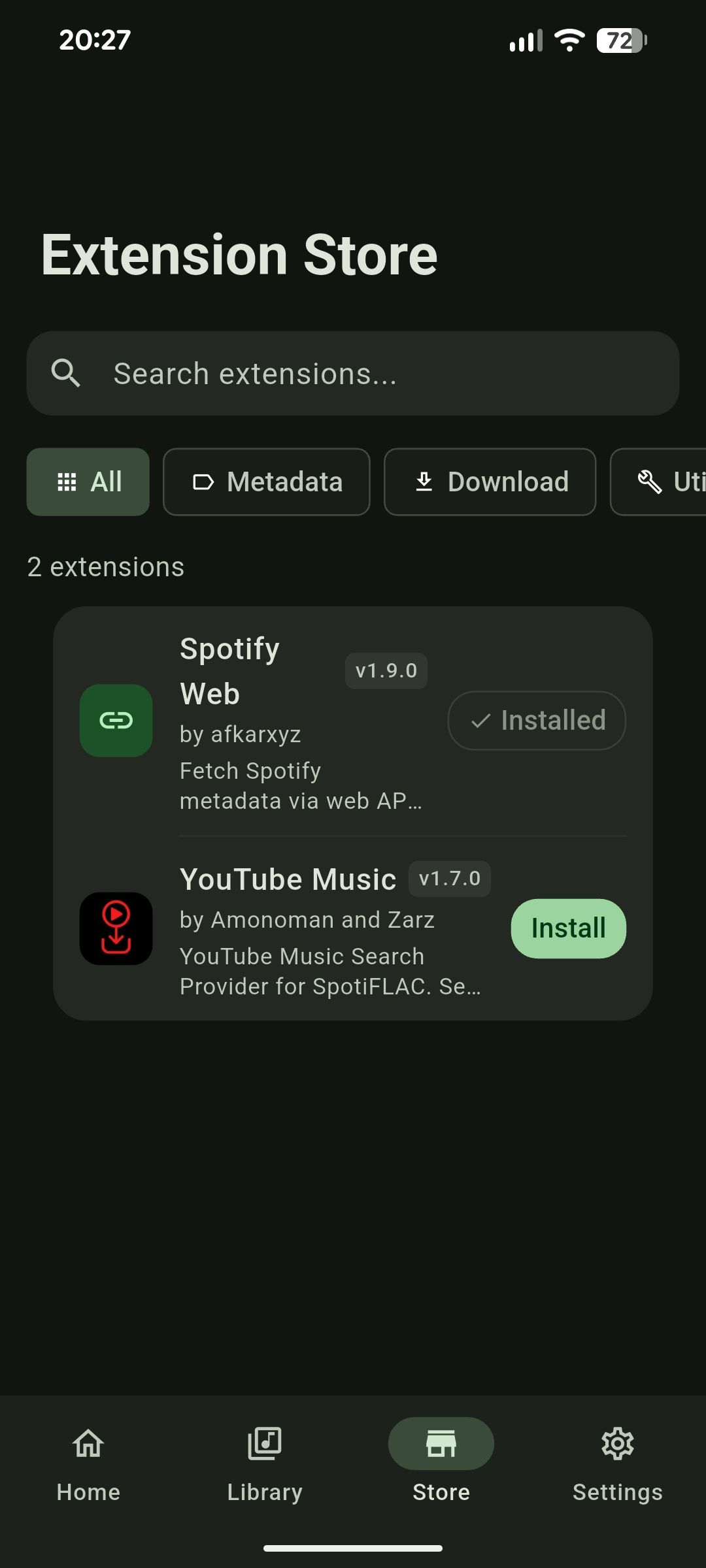
Extension Store — Add Sources
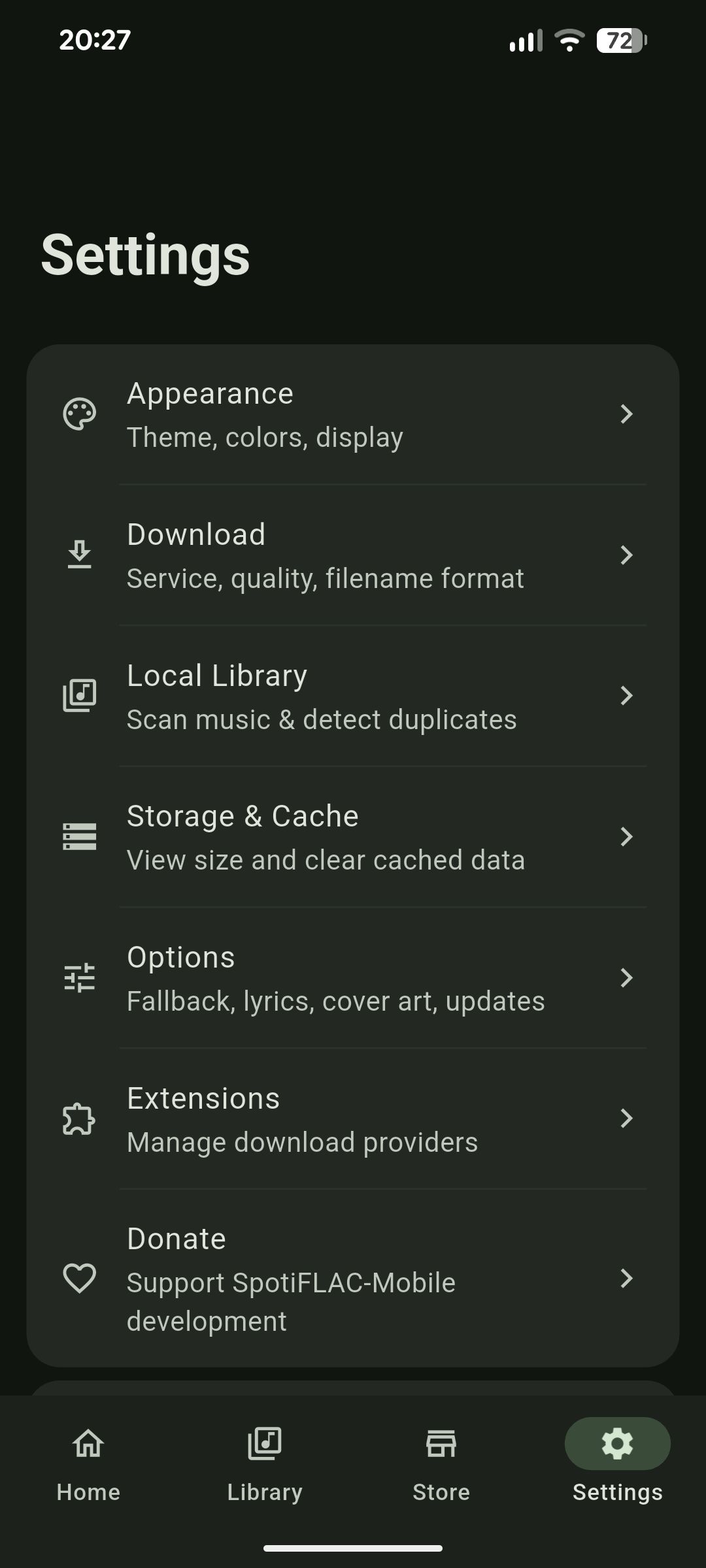
Settings — Full Control
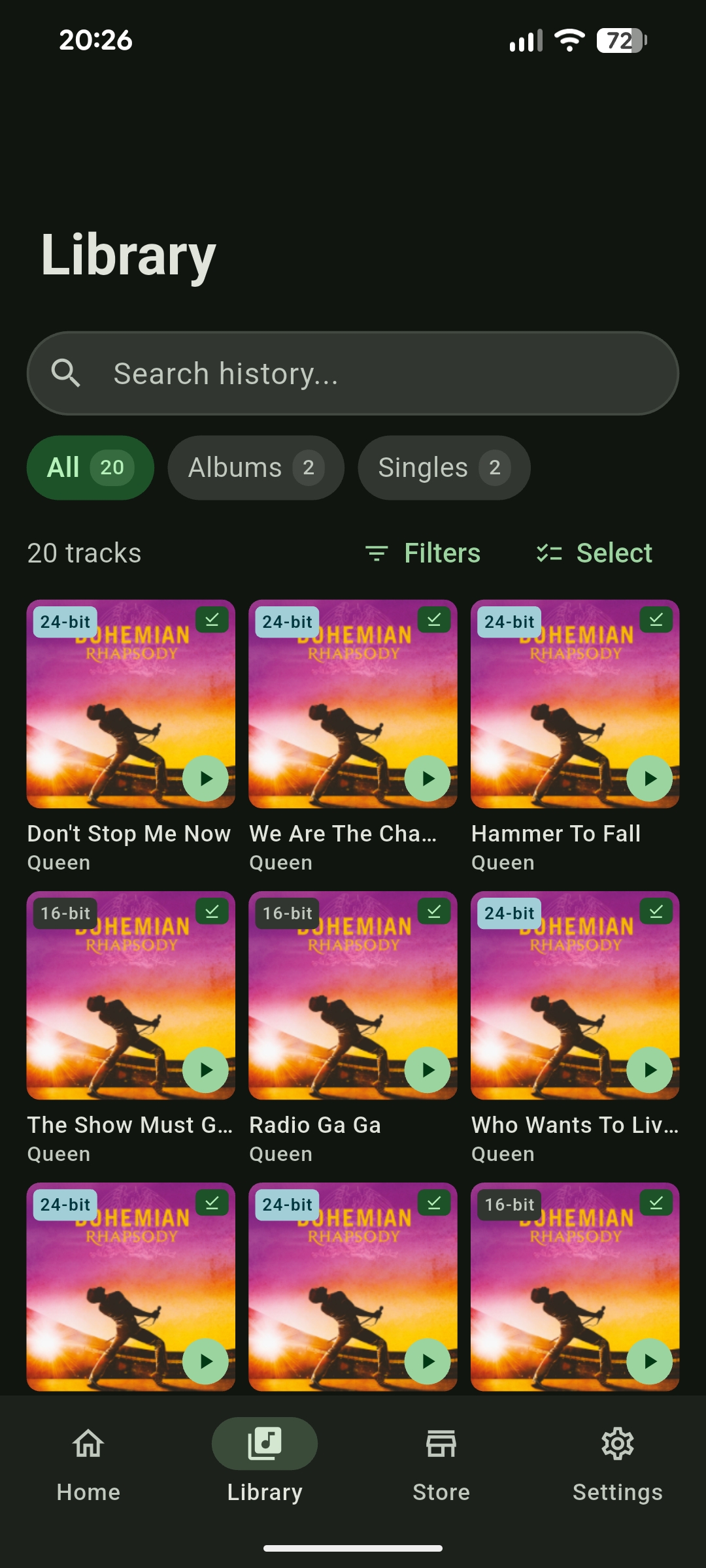
Library — Organized & Labeled
Features
Every feature exists for a real reason. No bloat, no paywalled extras.
Lossless FLAC Output
Downloads are saved in full CD-quality FLAC format — no compression artifacts, no re-encoding, no quality degradation. You get the audio exactly as the source provides it.
Multi-Format Export
Need a smaller file? Switch to MP3 320kbps or AAC 256kbps in one tap. All three formats are built-in — no second app needed.
Playlist & Album Batches
Paste a playlist or album URL and queue every track at once. Downloads run sequentially in the background while you use your phone normally.
Automatic Metadata Tagging
Every file lands fully tagged — title, artist, album, track number, year, genre, and embedded cover art. No manual editing after download.
True Local Storage
Files save directly to your device. No cloud dependency, no expiry, no account linking. Delete the app and the music remains.
No Account Required
Open the app, paste a link, tap download. No sign-up form, no login screen, no email confirmation. Zero friction from first launch.
Per-Track Quality Override
Set a global default quality and override it individually per track or album. Granular control without cluttering the interface.
Download History & Retry
Every download is logged. Failed tracks can be retried in one tap. Your full history is searchable and filterable inside the app.
Dark-First Interface
Designed from the ground up for dark environments. Clean, minimal, low-glare — easy to use at midnight without burning your eyes.
Why Use It
You keep the files permanently
Downloads live on your device with no expiry date. Delete the app, reformat your phone, change countries — the music stays.
Works with any music player
Standard FLAC and MP3 files play in VLC, PowerAMP, Apple Music, foobar2000, Neutron, Plex, and anything else you prefer.
Saves data over time
Download once on Wi-Fi and stream nothing afterward. Ideal for mobile data plans and anyone with limited connectivity.
No recurring cost ever
Completely free with no subscription tier. The codebase is MIT-licensed and open to anyone.
How it Works
No setup wizard, no configuration, no learning curve. Open the app and start downloading.
Copy the Link
Grab the share URL of any track, album, or playlist from your music streaming app.
Open SpotiFLAC
Launch the app and paste the link into the search bar at the top of the screen.
Choose Your Format
Select FLAC for lossless, MP3 for compatibility, or AAC for balance. Pick quality level.
Download
Tap Download. The file is saved to your device storage — tagged, organized, and ready.
How to Install SpotiFLAC APK on Android
- 1
Enable Unknown Sources
Open Settings → Security (or Privacy on some devices) and enable "Install from Unknown Sources." On Android 8+, you will be prompted per-app when you try to install.
- 2
Download the APK
Tap the Download APK button on this page. Choose the ARM64 build for most modern phones, or ARM32 for older devices. The file saves to your Downloads folder.
- 3
Open the file
Use your file manager (Files by Google works well) to locate the downloaded APK and tap it to begin the install prompt.
- 4
Confirm Installation
Android will display app permissions and ask you to confirm. Tap Install and wait a few seconds for it to complete.
- 5
Launch the App
Open the app from your home screen or app drawer. Paste any music link and tap Download to get your first track.
Security tip: Only download APKs from spotiflac.app. Third-party mirrors may distribute modified or malicious versions. After installing, re-disable Unknown Sources in your settings.
Pros & Cons
What Works Well
- True lossless FLAC output from source
- Batch download entire playlists and albums
- Automatic metadata and cover art embedding
- Files are standard — play anywhere
- No account, login, or sign-up at any point
- Completely free and open-source (MIT)
- Download history with one-tap retry
- Minimal, clean interface with dark mode
Limitations to Know
- Requires enabling Unknown Sources on Android
- Not on Google Play Store or Apple App Store
- iOS requires sideloading via AltStore/Sideloadly
- Download speed depends on your connection
- Output quality capped at source availability
- No built-in music player — files open externally
Frequently Asked Questions
Everything you need to know before downloading. If something is not covered here, use the Contact page.
Yes. It is free with no paid tiers, no premium features, and no subscription. The entire project is open-source under the MIT license. You can inspect the source code on GitHub anytime.
No account of any kind is required. You simply paste a publicly accessible track or playlist URL into the app. No login, no OAuth, no streaming credentials.
The app requires Android 7.0 (Nougat) or higher for the APK. On iOS, you need iOS 14 or later. It runs on both phones and tablets.
It fetches tracks at the highest available quality from the source and writes them to FLAC without additional compression cycles where possible. Output fidelity is capped at whatever quality the source exposes — typically 16-bit/44.1kHz CD quality.
Only download from spotiflac.app. Never install APKs from third-party mirrors. After installing, you can re-disable "Install from Unknown Sources" in Android settings immediately.
Yes. Paste any playlist or album URL and every track is queued automatically. Batch downloads process sequentially in the background with no need to keep the app open.
Standard FLAC and MP3 files work with any player: VLC, PowerAMP, Neutron, Apple Music, foobar2000, Plex, and more. There is no proprietary format or DRM — the files are yours to use anywhere.
None whatsoever. The app contains no analytics SDK, no crash reporter, no telemetry, and no tracking of any kind. All operations happen locally on your device. See our Privacy Policy for the full details.
Apps that facilitate downloading copyrighted content from streaming services are not permitted on official app stores per their developer policies. It is therefore distributed as a direct APK (Android) and sideloadable IPA (iOS).
Legality depends entirely on your local copyright law and what you download. SpotiFLAC is a tool — your use of it is your responsibility. Only download music you have the right to access. See our Disclaimer page for full details.
Download the latest APK from spotiflac.app and install it directly over the existing version. Your download history and settings carry over automatically.
Check your internet connection, confirm the URL is valid and publicly accessible, then use the Retry button in the Download History screen. If the issue persists across multiple tracks, try a different URL to determine whether it is a source-specific problem.
SpotiFLAC Mobile is an independent open-source project maintained by community contributors. It is not affiliated with Spotify AB, Apple Inc., or any music streaming service. Source code is publicly available for audit on GitHub. Use responsibly and in accordance with your local copyright laws.